> For the complete documentation index, see [llms.txt](https://alhena.gitbook.io/docs/llms.txt). Markdown versions of documentation pages are available by appending `.md` to page URLs; this page is available as [Markdown](https://alhena.gitbook.io/docs/integrations/communication/integrating-alhena-ai-with-slack.md).

# Slack

Alhena can be integrated with your company's Slack workspace, responding to any questions based on your knowledge base.

## Setting Up The Slack Integration

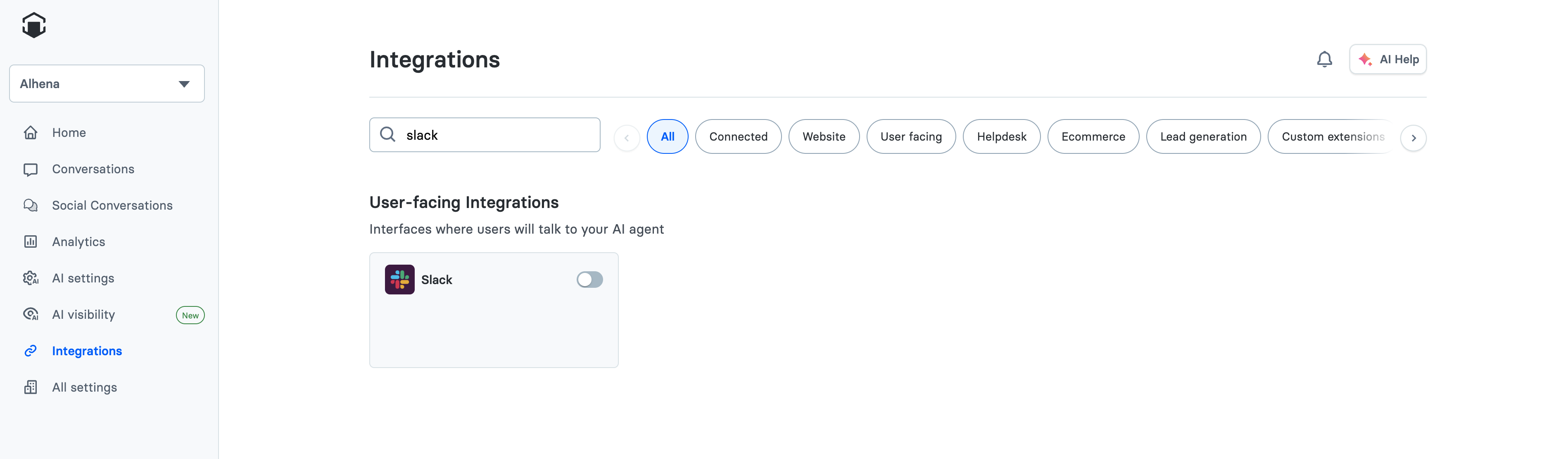
To get started, from the Alhena dashboard, navigate the the Settings page and click on Integrations. Then, click the toggle next to Slack.

<figure><img src="https://2864633804-files.gitbook.io/~/files/v0/b/gitbook-x-prod.appspot.com/o/spaces%2FKZ3bWFAIdLAqpW2uafZ4%2Fuploads%2Fgit-blob-6ab7b0ab581c8541770db9e5dd048a033f6753d6%2Fslack-enable-toggle.png?alt=media" alt=""><figcaption></figcaption></figure>

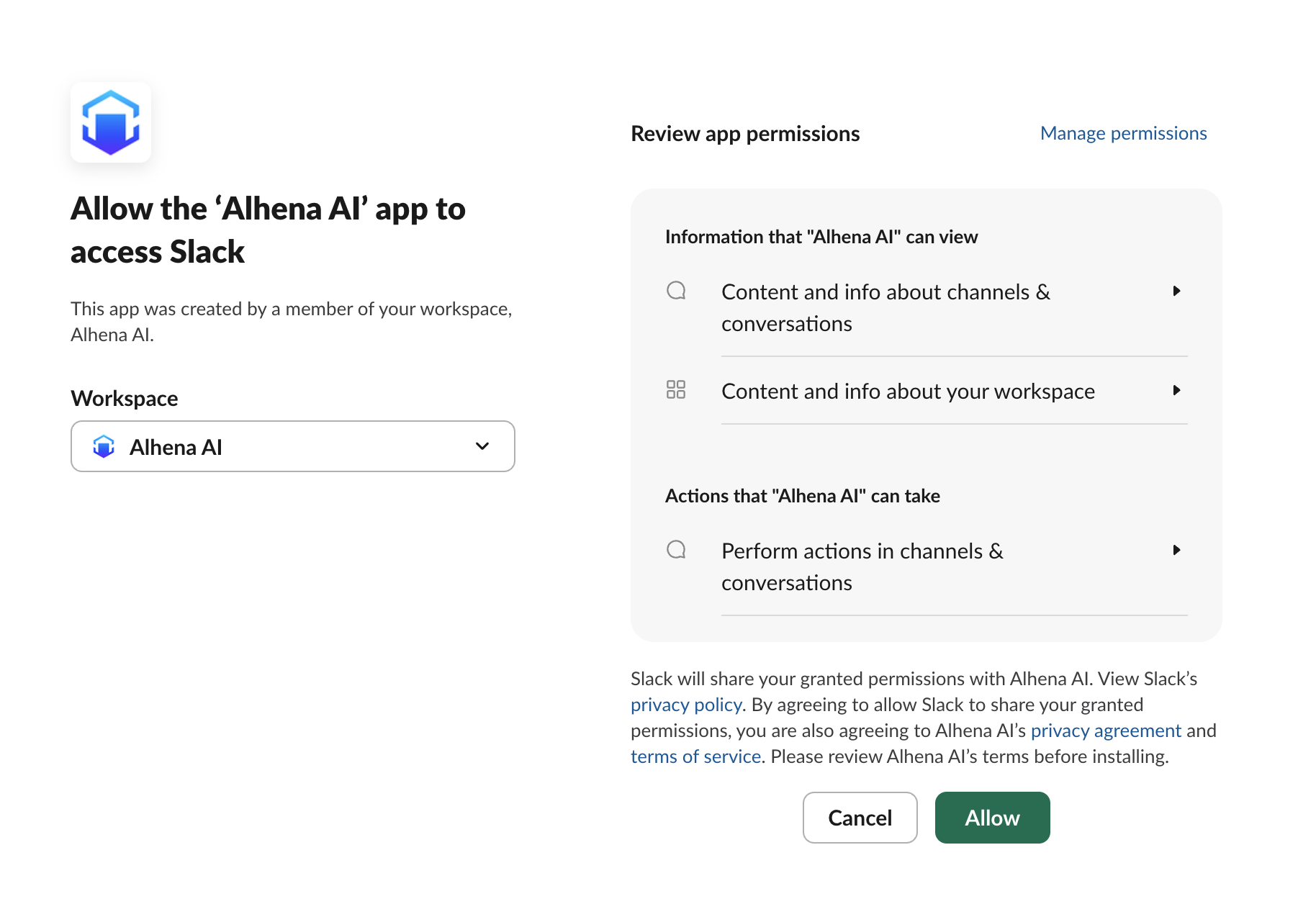
You will be directed to Slack's website where you can authorize Alhena to connect to your Slack workspace.

<figure><img src="https://2864633804-files.gitbook.io/~/files/v0/b/gitbook-x-prod.appspot.com/o/spaces%2FKZ3bWFAIdLAqpW2uafZ4%2Fuploads%2Fgit-blob-329c162ec34d3b4d9209b8569ecee442bf54a26c%2Fslack-authorization-page.png?alt=media" alt=""><figcaption></figcaption></figure>

After you click Allow, you'll be redirected back to Alhena. The bot is now installed into your Slack workspacce.

## How To Ask Questions To The Bot

You can chose to use Alhena AI either in a channel or stand alone:

#### (1) Use it in a Slack Channel

Alhena will automatically answer any questions based on your knowledge base when mentioned directly in a message.

\
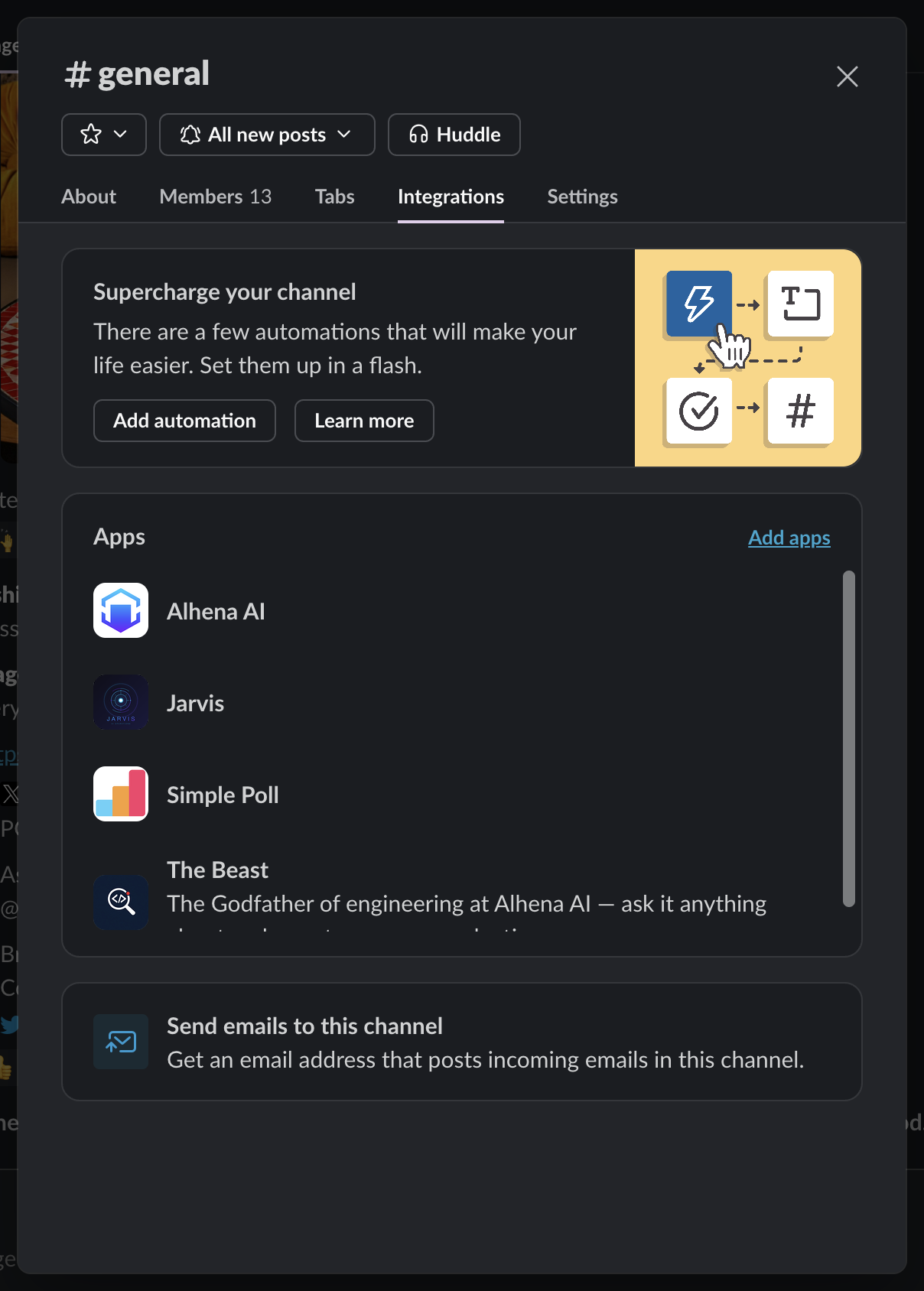
First, make sure to add the bot to any channel you'd like it to answer questions in.

<figure><img src="https://2864633804-files.gitbook.io/~/files/v0/b/gitbook-x-prod.appspot.com/o/spaces%2FKZ3bWFAIdLAqpW2uafZ4%2Fuploads%2F9wy95X99q3h0HseNfsnM%2FScreenshot%202024-05-24%20at%2011.40.27%20AM.png?alt=media&amp;token=28aef981-a815-4eb2-8dfa-676187225781" alt=""><figcaption></figcaption></figure>

<figure><img src="https://2864633804-files.gitbook.io/~/files/v0/b/gitbook-x-prod.appspot.com/o/spaces%2FKZ3bWFAIdLAqpW2uafZ4%2Fuploads%2Fgit-blob-5366a76eee79ce9255e334042273047e7cd9fc81%2Fslack-bot-added-to-channel.png?alt=media" alt=""><figcaption></figcaption></figure>

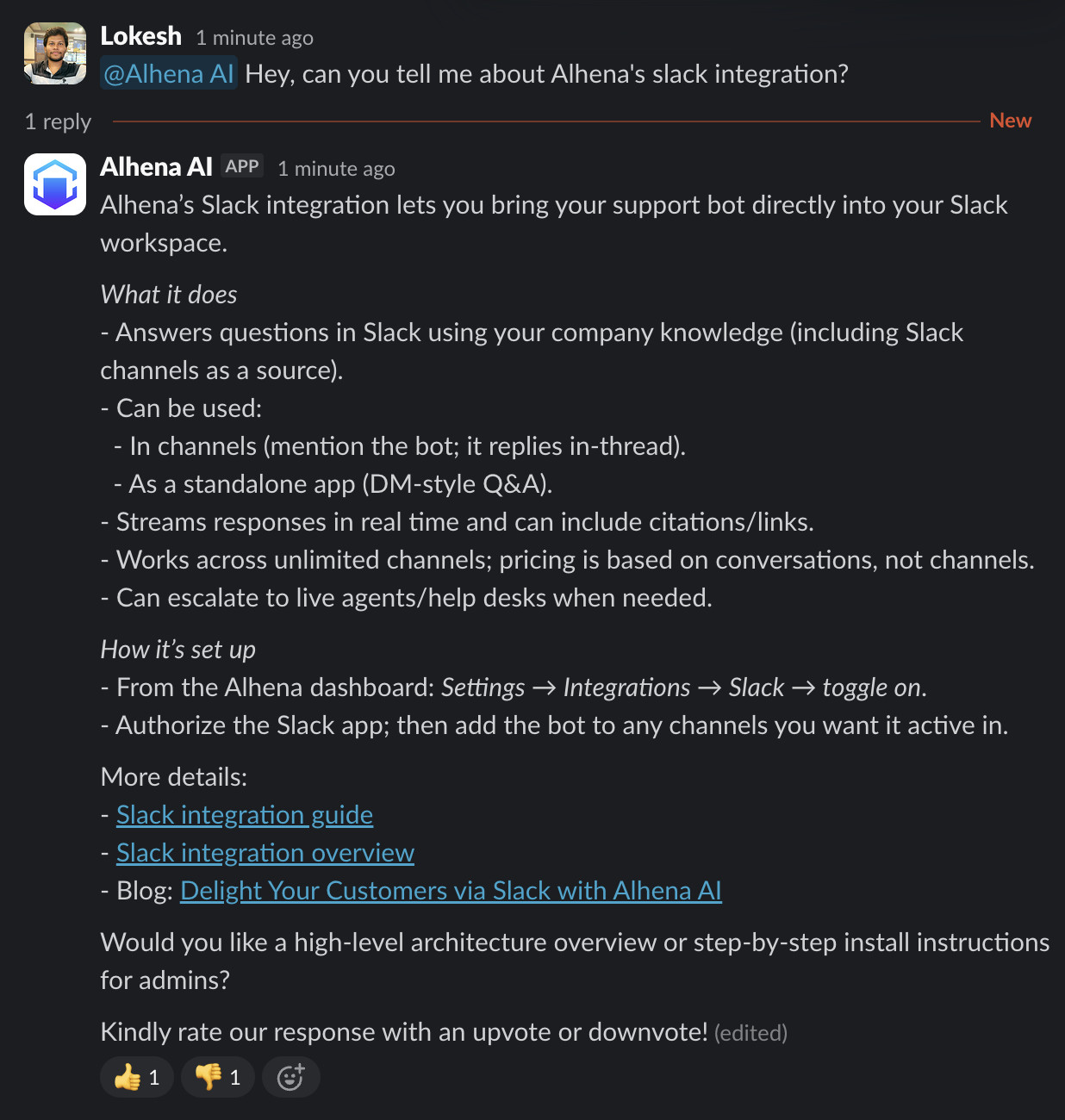
Now, you can type questions and mention to bot, and it start to generate a response.

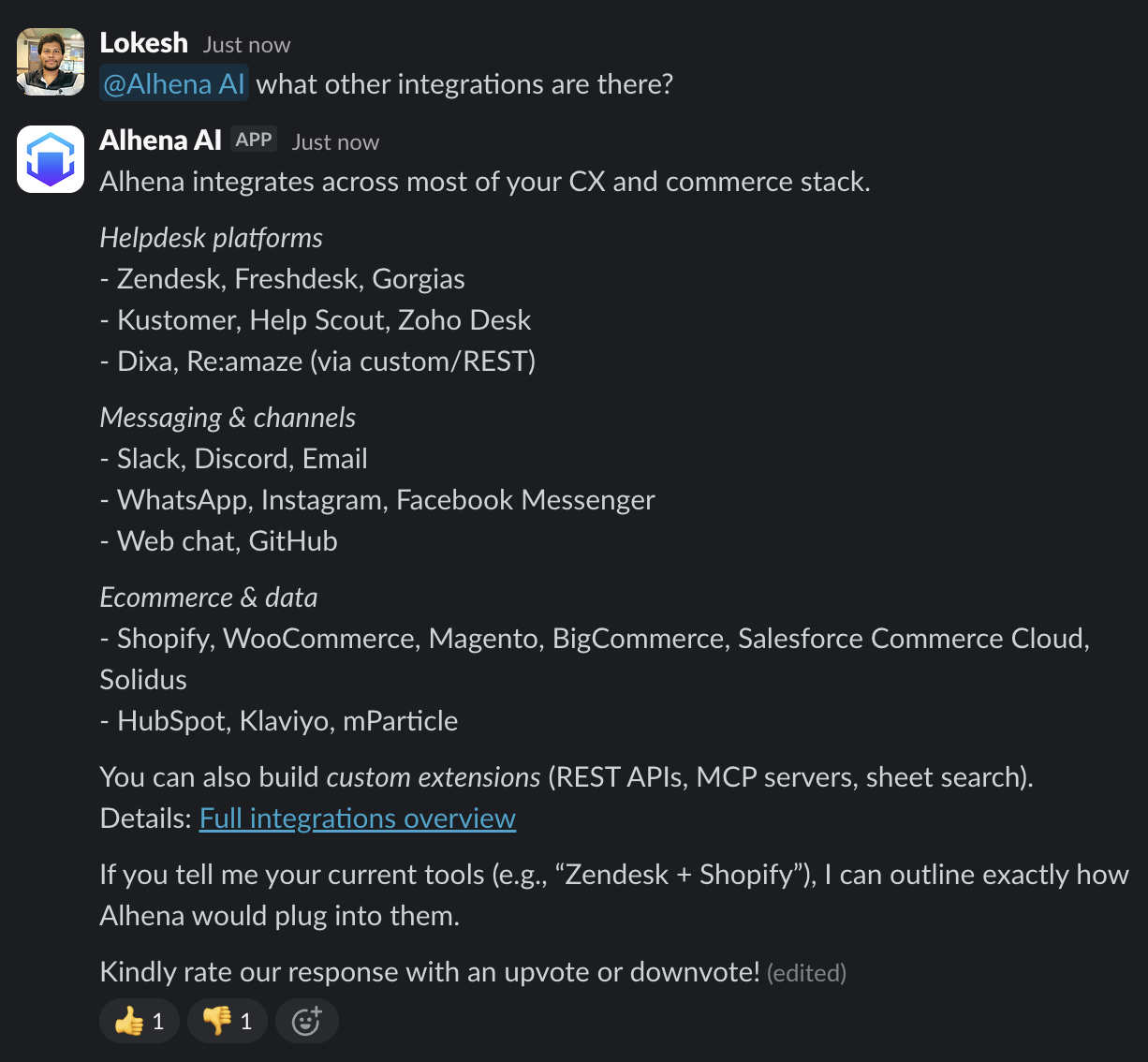
<figure><img src="https://2864633804-files.gitbook.io/~/files/v0/b/gitbook-x-prod.appspot.com/o/spaces%2FKZ3bWFAIdLAqpW2uafZ4%2Fuploads%2Fgit-blob-6bd555f2632794e9e8886be56b52ea1ee1d2d5f7%2Fslack-mention-bot-question.png?alt=media" alt=""><figcaption></figcaption></figure>

Alhena will create a new thread and stream in the response as it's being generated.

<figure><img src="https://2864633804-files.gitbook.io/~/files/v0/b/gitbook-x-prod.appspot.com/o/spaces%2FKZ3bWFAIdLAqpW2uafZ4%2Fuploads%2Fgit-blob-3cbfc2f1e1cbd192452d27af4a991cc07d9ff784%2Fslack-bot-response-thread.png?alt=media" alt=""><figcaption></figcaption></figure>

You can ask any followup questions in this same thread.

<figure><img src="https://2864633804-files.gitbook.io/~/files/v0/b/gitbook-x-prod.appspot.com/o/spaces%2FKZ3bWFAIdLAqpW2uafZ4%2Fuploads%2Fgit-blob-b2e5f4e0b1412c9b689995be95ca72626551cc52%2Fslack-followup-questions.png?alt=media" alt=""><figcaption></figcaption></figure>

#### (2) Use it as a stand alone bot

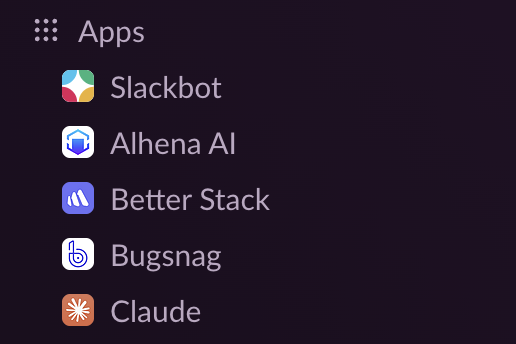
Once installed, you can see Alhena AI under the list of Apps inside your slack (lower left corner ):

<figure><img src="https://2864633804-files.gitbook.io/~/files/v0/b/gitbook-x-prod.appspot.com/o/spaces%2FKZ3bWFAIdLAqpW2uafZ4%2Fuploads%2Fgit-blob-2da12e7262619037b0618610c2f2bdedb742d62c%2Fslack-app-sidebar.png?alt=media" alt="" width="372"><figcaption><p>Alhena AI App in slack</p></figcaption></figure>

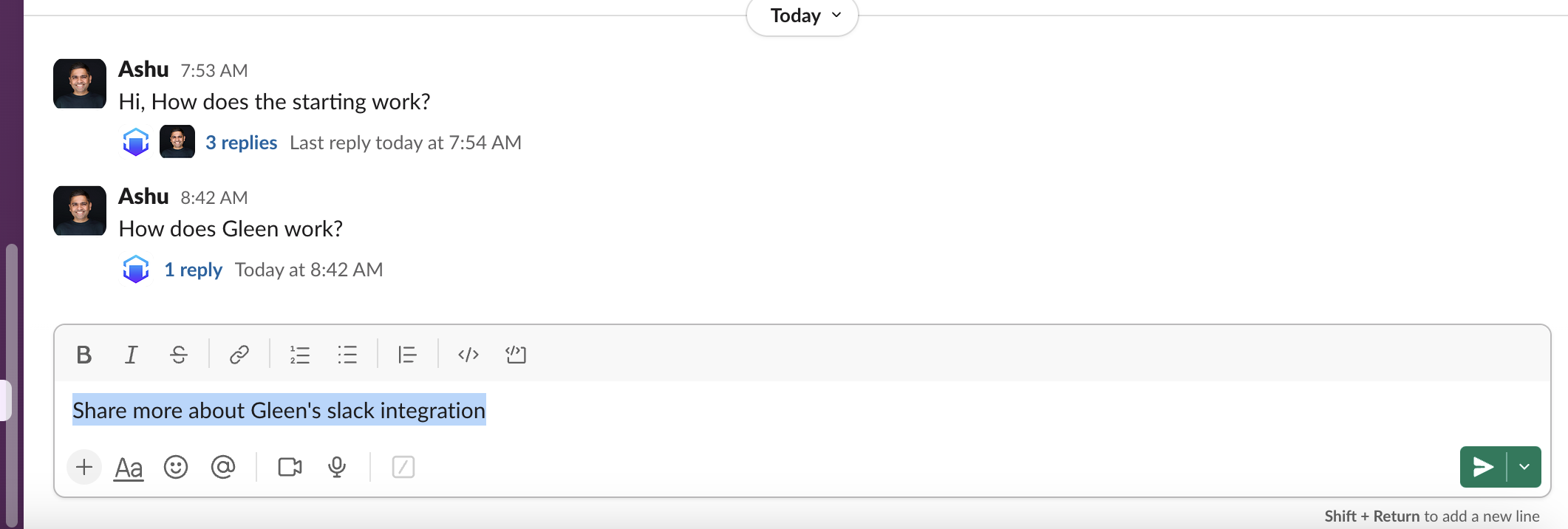
To starting using, simply click on the \`Alhena AI\` app and type you question like you send a message to a colleague. It will create a thread for all new questions. You can ask follow-up questions in the same thread.<br>

<figure><img src="https://2864633804-files.gitbook.io/~/files/v0/b/gitbook-x-prod.appspot.com/o/spaces%2FKZ3bWFAIdLAqpW2uafZ4%2Fuploads%2FgwCSirKxfynRGcQx50uW%2FScreenshot%202024-08-01%20at%208.43.14%E2%80%AFAM.png?alt=media&amp;token=08428013-3542-41c1-8777-0c35fc3e2107" alt=""><figcaption></figcaption></figure>